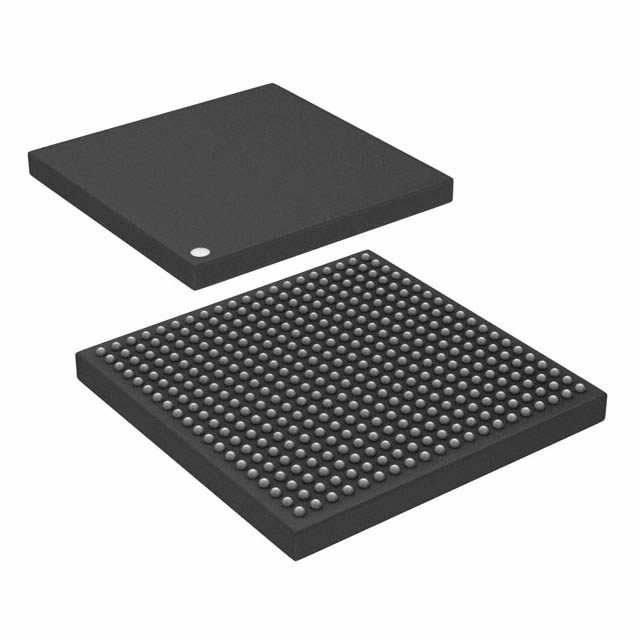
## 1. Data Processing Capacity
- 32-bit Microprocessor:
- Can process data and instructions that are 32 bits wide.
- Maximum size of a single data unit that can be processed at one time is 32 bits.
- 64-bit Microprocessor:
- Can handle data and instructions that are 64 bits wide.
- Can process larger data units, resulting in potentially faster computations, particularly for operations involving large integers and floating-point numbers.
## 2. Memory Addressing Capability
- 32-bit Microprocessor:
- Has an address bus width of 32 bits.
- Can address up to (2^{32} ) unique memory locations, which equals 4,294,967,296 addresses or 4 gigabytes (GB) of RAM directly.
- This limit can be extended with techniques like Physical Address Extension (PAE), but this adds complexity.
- 64-bit Microprocessor:
- Has an address bus width of 64 bits.
- Can address up to (2^{64} ) unique memory locations, which equals 18,446,744,073,709,551,616 addresses or 16 exabytes (EB) of RAM. Practically, current hardware and operating system limits are lower, but still vastly larger than what 32-bit systems can support.
## 3. Performance and Efficiency
- 32-bit Microprocessor:
- Generally sufficient for many everyday computing tasks like web browsing, office applications, and basic games.
- Limitations in handling large datasets, complex computations, and applications requiring significant memory.
- 64-bit Microprocessor:
- Improved performance for applications that require large amounts of memory and computational power, such as video editing, large database management, scientific simulations, and modern gaming.
- Enhanced efficiency in multi-tasking and running multiple applications simultaneously without significant slowdowns.
## 4. Compatibility and Software
- 32-bit Microprocessor:
- Can only run 32-bit operating systems and 32-bit applications.
- Limited by the 4GB RAM ceiling, impacting newer software that demands more resources.
- 64-bit Microprocessor:
- Capable of running both 64-bit and 32-bit operating systems and applications (with appropriate compatibility layers for the latter).
- Most modern operating systems and applications are optimized for 64-bit architecture, leading to better performance and future-proofing.
## 5. Instruction Set and Registers
- 32-bit Microprocessor:
- Uses 32-bit registers, limiting the size of operands and addresses.
- Typically has fewer general-purpose registers compared to 64-bit processors, affecting the execution speed of programs needing complex calculations.
- 64-bit Microprocessor:
- Utilizes 64-bit registers, allowing for larger operands and greater precision in calculations.
- Often includes additional registers and enhanced instruction sets designed to improve performance and efficiency in various types of computing tasks.
## 6. Examples and Usage Scenarios
- 32-bit Microprocessor:
- Found in older computers and embedded systems where the requirements for memory and processing power are modest.
- Examples include Intel x86 processors like Intel Pentium IV and earlier models.
- 64-bit Microprocessor:
- Common in modern personal computers, servers, and high-performance computing devices.
- Examples include Intel x86-64 processors (like Intel Core i5, i7, i9), AMD Ryzen series, and ARM-based processors used in modern smartphones and tablets.
## Summary
In summary, the primary differences between 32-bit and 64-bit microprocessors lie in their data processing capacity, memory addressing capability, performance, and compatibility. A 64-bit microprocessor offers significant advantages in terms of handling larger amounts of memory, faster data processing, and better support for modern software and operating systems, making it suitable for contemporary and future computing needs. Conversely, 32-bit microprocessors are limited in these aspects but can still be effective for less demanding applications and older software environments.
icDirectory United Kingdom | https://www.icdirectory.co.uk/a/blog/what-is-the-difference-between-a-32-bit-and-a-64-bit-microprocessor.html